
Transcribe! can be controlled (start and stop playback, etc) by various kinds of pedals, which can be convenient if you have an instrument in your hands while you transcribe, or pencil and paper. Pedals (other than those which generate keystrokes as if from a keyboard) are also useful for controlling Transcribe! while a different application is in the foreground - perhaps a music notation package.
They will usually cost more than Transcribe! itself, but are well worth it if you are doing any serious amount of transcribing.
If you have a three-button pedal then you can set it up so that the big middle button does Play/Stop and the left & right buttons take you backwards or forwards by one measure (bar). See Transcribe!'s Help - Application or File menu - Foot pedals, because that page lists some commands which may be useful with a pedal (the "Quick Setup" options on that Help page). But there are many other types of pedals with varying numbers of buttons.
Here are some notes about pedal compatibility. If you have a pedal already then please try it with Transcribe!. If it isn't listed here then please let me know what the pedal is and where you got it. If it doesn't work then I might be able to help. And if it does then I can list it here.
It's unfortunately all very confusing as there are no less than four different kinds of interfaces used by different pedals. So the first thing you need to do if you have a pedal is to figure out what interface it is using. Here are general instructions for doing this, and further down the page you will see a collection of specific pedals mentioned.
Also you should be aware that pedals which pretend to be keyboards cannot be used to control Transcribe! when an different application is active in the foreground. Because keystrokes always go to the active application, right? Actually Transcribe! can use global shortcuts which do work even when Transcribe! is in the background, however it is unlikely that you would be able to tolerate creating global shortcuts for those keystrokes generated by a pedal. This is because they are likely to be keystrokes you would want to use in other applications (ordinary letters and punctuation). Other types of pedals (HID, Joystick, MIDI) can be used for controlling Transcribe! when it is in the background.
Some pedals generate keystrokes (text characters) as if from a keyboard. These are generally compatible with any version of Transcribe!. If you have one of these then of course you will need to configure it using Transcribe! "Keyboard Shortcuts" (not "Foot pedals") since it is pretending to be a keyboard. So try this to see if it works. Specifically what that means is:
Some of these pedals have different "modes" which cause them to send different keystrokes. Try them and see what happens.
If you are running Transcribe! version 9.25 or later then you will find some "Quick Setup" options for this type of pedal, accessed via a button at the top of the Keyboard Shortcuts dialog. You can of course use these quick setups for keys on your regular keyboard if you want to, since Transcribe! doesn't care whether the keystrokes are coming from a keyboard or from a pedal which pretends to be one. For example I have sometimes found it useful to program the 1/2/3 keys on the numeric keypad as if they were the back/play/forwards buttons of a pedal.
These tend to be chunky units aimed at typists, but they are just as useful for music. They usually have three buttons : a large Play button in the middle, with smaller Rewind and Forwards buttons at either side. You configure them using Transcribe!'s "Foot Pedals" command, so try it and see if it works. With these pedals compatibility can vary : just because it works on one OS doesn't necessarily mean it will work on another.
Important:Transcribe! talks directly to these pedals, which means you can just plug the pedal in and Transcribe! should see it right away. This means you should not install any software that comes with the pedal. It isn't needed, and may cause conflicts with Transcribe! and the other software both trying to read from the pedal at the same time.
Once you have plugged the pedal in, run Transcribe!'s "Foot Pedals" command on the Application or File menu. Program the responses as you wish. Click the Help button in this dialog for more info.
MIDI pedals - or indeed any kind of MIDI controller - should work fine for controlling Transcribe!. They are generally compatible with any version of Transcribe!. As a musician, you might already have some MIDI pedals.
Once you have plugged the pedal in, run Transcribe!'s "MIDI Shortcuts" command on the Application or File menu. Program the responses as you wish. Click the Help button in this dialog for more info.
There are an enormous number of pedals available, the ones we list here are just a small selection. I cannot guarantee compatibility of a pedal you buy, with Transcribe!. All I can tell you is what I've tried, and what works for me and for other people who tell me of their experiences.
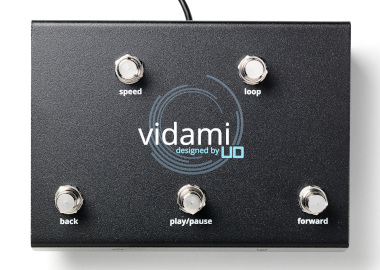
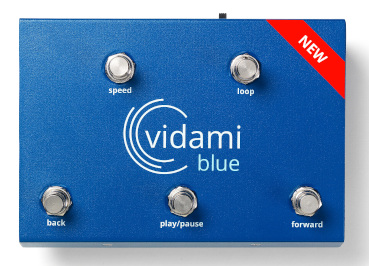
Vidami - click here for their website - make wired and wireless pedals which generate keystrokes as if from a keyboard, and which work fine on Mac, Windows, and Linux. They are five-button units aimed specifically at musicians. The bluetooth version has various different modes, which cause the buttons to send different keystrokes. We recommend the Video Control Mode, which is the default. These pedals generate one keystroke for a short tap and a different keystroke for a longer press, so you have ten commands available rather than just five.
If you are running Transcribe! version 9.25 or later then you will find some "Quick Setup" options
for the Vidami pedal, accessed via a button at the top of the Keyboard Shortcuts dialog (Application or File menu).
If you are running an earlier version of Transcribe! then we have created some suitable configurations for these pedals which you can find here.
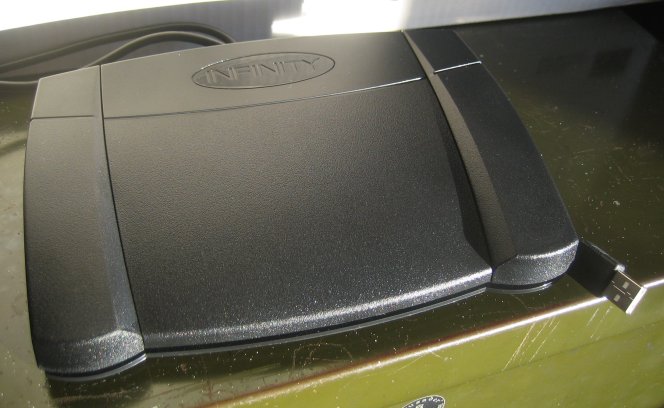
This is the VEC "Infinity IN-USB-2", which is compatible with Transcribe! version 8.80 and later for Windows, Mac, and Linux. In fact earlier models of this pedal (Version 14 - you can find the version number on the bottom of the pedal) are compatible with earlier versions of Transcribe! but if you are thinking of buying a pedal now then you will probably get the version 15 pedal which ONLY works with Transcribe! 8.80 or later. If you are a Mac user then also note that Transcribe! 8.80 for Mac requires macOS 11 (Big Sur) or later.
The older model "Infinity IN-USB-1" is also compatible with Transcribe! for Windows, Mac and Linux.
And I also have a report that there is now an "Infinity IN-USB-3" which apparently works ok with Transcribe! for Windows and Mac. I would guess that you probably need Transcribe! 8.80 or later, if it is the same as the IN-USB-2.
WARNING there does seem to be a problem using the USB-1 and older USB-2 V14 models with macOS 12 Monterey : please see the FAQ query here. However it does seem that more recent USB-2 V15 model works ok, and the current model - the Infinity USB-3 - also works ok with macOS Monterey.
Places to get them:
VEC
DICTRAN
LE Technologies
SpeakiT solutions
There is a similar looking one at Executive Communication Systems. I've not tried it myself
but I've been told it works with Transcribe! on Mac, and may well work on other systems too - let me know if you try it.
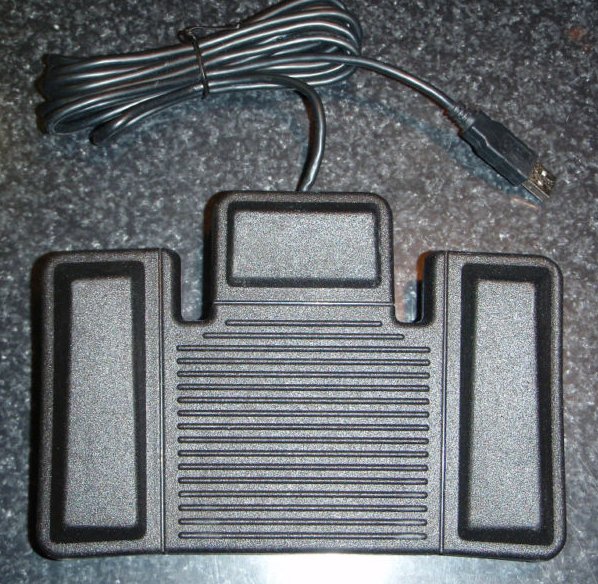 |
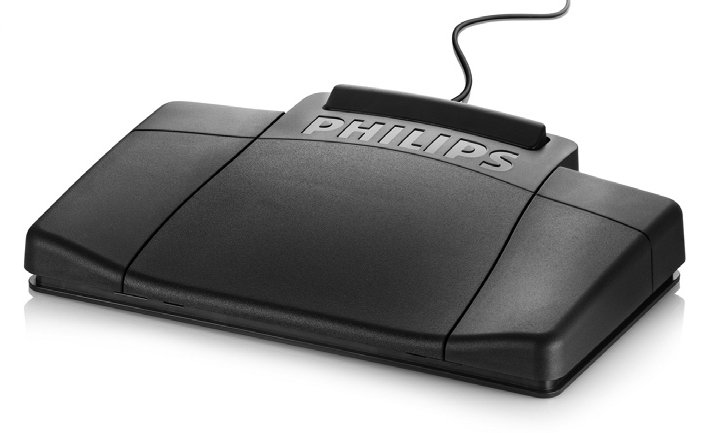
The Philips LFH-6212 which I am told is compatible with Transcribe! for Windows. If you try it on Mac or Linux, do let me know if it works. |
 |
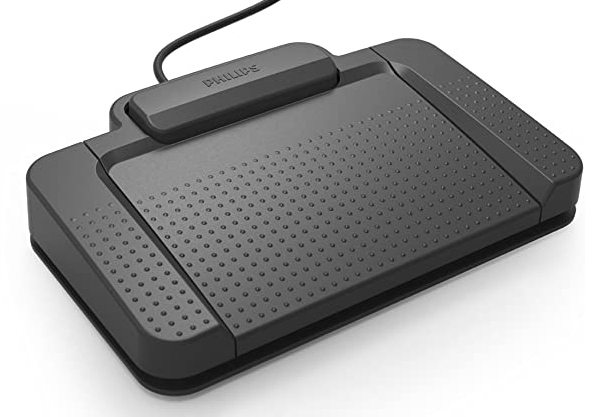
The Philips LFH-2310/2320/2330 which I am told is compatible with Transcribe! for Windows and Mac. If you try it on Linux, do let me know if it works. |
 |
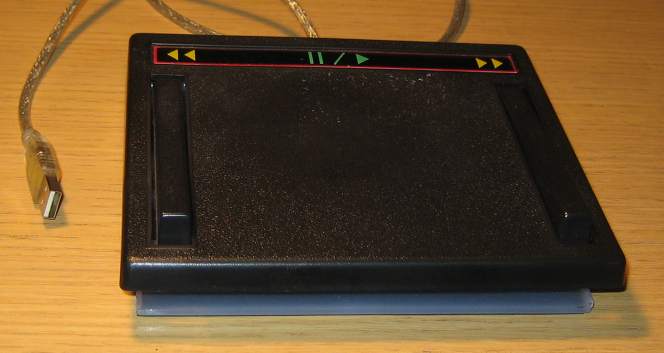
The Philips ACC2330 4 button pedal which I am told is compatible with Transcribe! for Windows. If you try it on Mac or Linux, do let me know if it works. |
Some pedals present themselves as being joystick / game controller devices and Transcribe! should be able to use these on Windows, Mac and Linux. Of course, these pedals aren't really intended for games, it's just that they use the same interface. The picture above is the VPE VPedal, but in fact any joystick / game controller should work, even those which aren't pedals at all.
On Windows, any controller which Windows recognises as a Joystick should be ok with Transcribe!. On Mac or Linux you will need a USB model.
Get it from V PEDAL themselves.
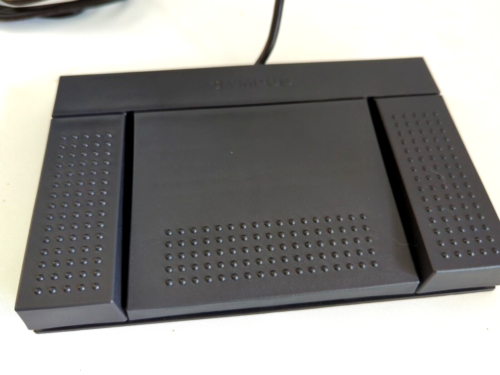
This is the Olympus RS27 USB foot pedal that comes with their AS-2400 kit. I have been told that it does work with Transcribe! on Mac Yosemite. In general it seems that Olympus pedals do not necessarily work with Transcribe! or indeed with any non-Olympus software. Do let me know if you find any exceptions to this rule.
There are any number of these and they should be compatible with Transcribe! on any computer that can handle MIDI (which should mean, any computer). For instance...
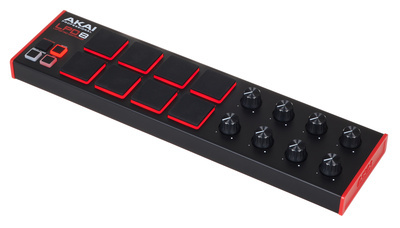 |
Akai LDP8. It's not strictly a pedal though I'm told you can work it with your feet if you take your shoes off. |
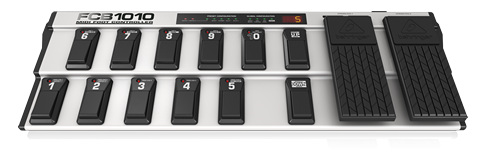 |
Behringer FCB1010 MIDI foot-pedal. |
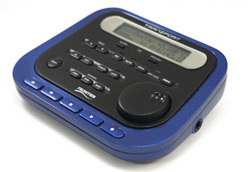 |
TranzPort remote control by Frontier Design. |
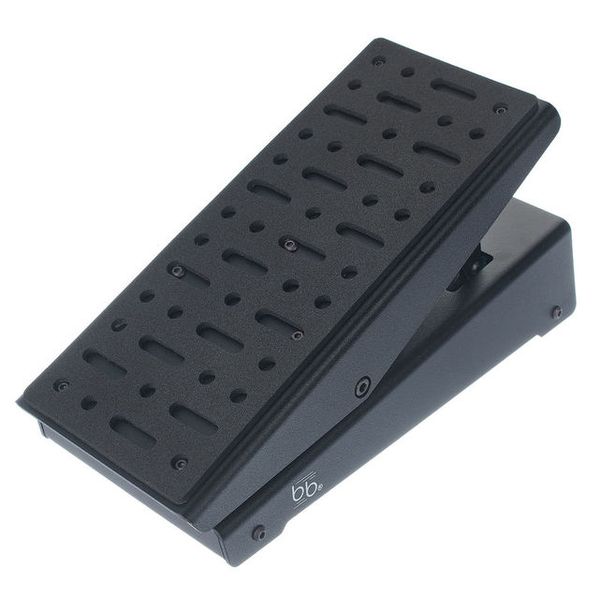 |
Beat Bars EX3 Expression Pedal. This is just one of many expression pedals available. They can be used for controlling Transcribe!'s speed or volume. You may need to run configuration software provided by the manufacturer, to get the pedal to send suitable midi controller messages. Transcribe! will show you what messages it is receiving. |
Configure these with Transcribe!'s "MIDI Shortcuts" command on the Application or File menu, and click the Help button in that dialog for more info. Rotary MIDI controllers can also be used for adjusting Transcribe's speed or volume.
These are generally compatible with all versions of Transcribe!. See Keyboard Interface above, about how to configure them.
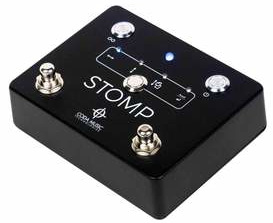 |
STOMP Bluetooth Pedal from Coda Music Technologies. |
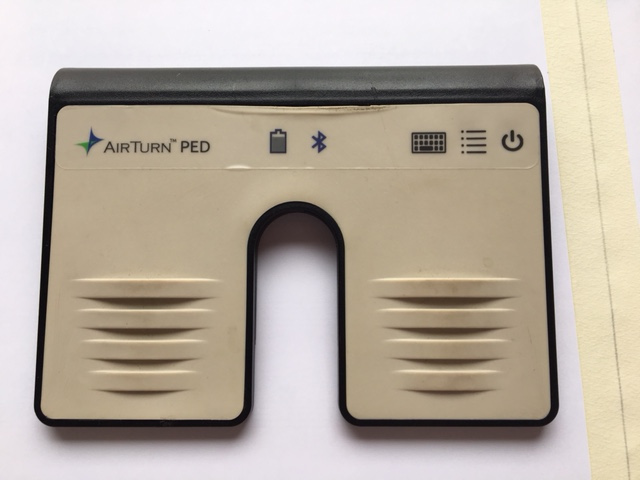 |
Airturn PED. Do not use Mode 1 ("PED-APP-Direct"), instead use Modes 2 - 6 which enable you to choose what keystrokes it sends. Airturn make many different pedals, I haven't tried the others but I imagine they probably work in a similar way. |
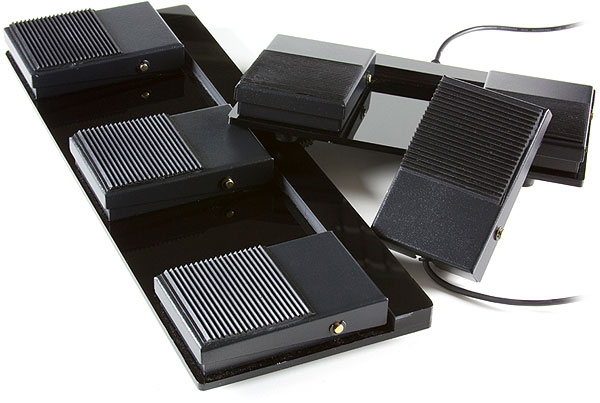 |
Scythe USB Foot Switches. |
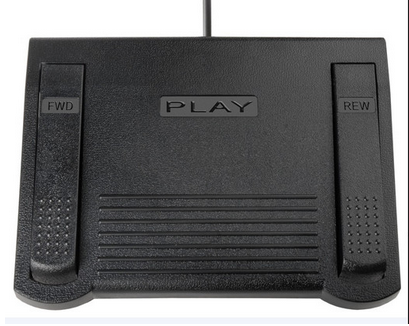 |
ECS-CPFP Custom Programmed Keystroke USB Foot Pedal Control. |
Recommend this page to others, on these social network sites:
 Facebook
 Reddit
 Twitter
 Digg
Digg LinkedIn
 Diigo
Diigo