

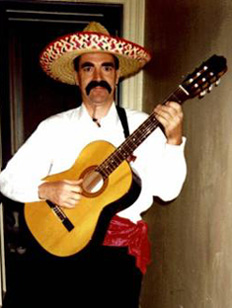

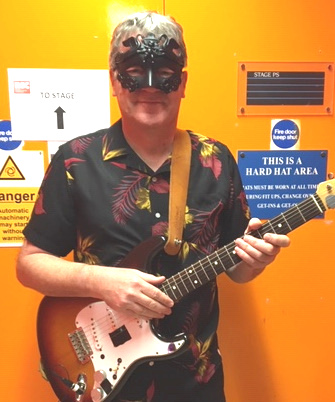
Andy Robinson - would you use software written by this man?
You can find some of my music here
www.eighthstring.com/albums.html
I wrote the first versions of Transcribe for my own use in summer 1998 and various flavours of version 1 appeared on the web in late 1998 / early 1999. At this point it was Windows only. It had the "spectrum analysis" feature but no "slowdown without pitch change" or "record to file". These last two features were added in response to user feedback, and version 2 was released August 1999. I also changed the name about this time from "Transcribe" to "Transcribe!" as I was advised that using an ordinary English word as a product name is a bad idea. I got the idea from Rogers and Hammerstein (what does he mean?).
Sometimes people describe Transcribe! as "a program for slowing music down without changing the pitch", and when they do I usually reply that they are missing the point, that Transcribe! is a specialized player for people who transcribe music, and slowdown is only one of its features, and often not the most important one. If they express doubt, then I remind them that version 1 did not have that feature.
For amusement and historical interest, I have dug out those old Windows versions
and made them available here.
Click here to download Transcribe! version 1.11 for Windows, built 10th March 1999
Unpack in a temp folder, then run setup.exe
Click here to download Transcribe! version 2.00 for Windows, built 1st Aug 1999
It's a self-installing executable.
You may run these if you want, for amusement and historical interest only.
Use this registration info: Name:KIRI Number:29964
They work ok on Windows XP and earlier. I haven't tried them on any more recent OS.
I do not, of course, offer any support for these versions!
Here is a page from our old website offering version 2.00,
archived by the Wayback Machine on the 2nd March 2000.
I had quite a few enquiries from Macintosh users, so I decided it would be a good idea, and highly educational, to get a Mac and learn how to program it. The Windows version (up to version 6) uses Microsoft Visual C++ with the Microsoft Foundation Classes application framework. I looked into various cross-platform development systems, but in the end on the Mac (up to version 6) I used MetroWerks CodeWarrior C++ with the PowerPlant application framework, which meant rewriting all the user interface and OS interface code for the Mac version. Most of the DSP (digital signal processing) code ported straight across though.
The first Mac version - 2 - was released in March 2000
Version 3 was released on both platforms in July 2000 and features direct reading of MP3 files amongst other improvements.
Version 4 was released on both platforms in March 2001. New features include continuously-variable slowdown as well as the whole number ratios previously offered, and hands-free operation (using a MIDI pedal).
Version 5 was released on both platforms in August 2001. New features include parametric EQ filter and many other improvements.
The first Mac OS-X version 5 was released in April 2002. This is a "Carbon" application using MetroWerks CodeWarrior C++ with the PowerPlant application framework.
Version 6 was released on all three platforms in Jan 2003. Main features are direct reading of audio from CD under Windows NT/2000/XP (Mac OS-X version already supports this), and many small improvements mostly related to the user interface.
Version 7.0 was released for Windows and Linux in April 2004, and for Mac in July 2004. It is a major redesign and rewrite. It's written in C++ and uses the wxWidgets cross-platform application framework on all platforms.
The windows and menus of the program are laid out in a more logical and convenient way, the Help system is much improved, many more sound file formats can be read, there is stereo playback, better sound quality, 31 band graphic EQ, transposition, configurable keyboard shortcuts, multiple stored loops, provision for adding textual annotations (in 7.1), and many many more improvements.
Equally importantly, the rewritten program is internally elegant and targets Windows, Mac, and Linux from a single source code. This makes it enormously easier to work on, so ensuring that Transcribe! can continue to move forwards.
Version 7.1 for Windows, Mac, and Linux was released in October 2004. It addresses issues affecting 7.0, adds "text blocks" (annotations) and many small improvements.
Version 7.30 for Windows, Mac, and Linux was released 13th February 2006. Main features are support for transcriber's footpedals (non-MIDI), unicode support on Mac, new Help system for Mac & Linux, and many other improvements.
Version 7.31 for Windows, Mac, and Linux was released 31st May 2006. Main features are Global Shortcuts (hotkeys), support for more sound file formats, and "Universal Binary" Mac version.
Version 7.40 for Windows, Mac, and Linux was released 4 Feb 2007. Main features are note & chord guessing, Windows Vista compatibility and improved support for systems with multiple displays.
Version 7.41.1 for Linux (15 April 2007) is a substantial upgrade to bring the Linux version up to date (GTK2, ALSA, unicode text, midi input).
Version 7.43 for Windows, Mac, and Linux was released 1 Oct 2007. Main features are Automation (scripting), and support for FLAC sound files.
Version 7.50 for Windows, Mac, and Linux was released 16 Jan 2008. Main new feature is video (on Windows & Mac, not yet Linux).
Version 7.51 for Windows, Mac, and Linux was released 12 Feb 2009. Improved loop-store capability, Video Viewer "always on top" mode (on Windows), dB calibration lines, "Time Line", many other small improvements.
Version 8.00 for Windows, Mac, and Linux was released 20 Nov 2009. It features a whole new layout and look, along with various improvements to sound file handling, some new commands, and various other improvements and bugfixes.
Version 8.10 for Windows, Mac, and Linux was released 3 Aug 2010. It has video export, font selection in text blocks, and many other small improvements and bugfixes.
Version 8.20 for Windows, Mac, and Linux was released 23 Aug 2011.
Principal new feature is a piano roll view showing note guesses over time, aligned with the waveform view.
It also adds video display (which the Windows & Mac versions have had for a long time) to the Linux version,
and many other small improvements and bugfixes.
Click here for detailed release notes.
25 May 2012 I added a "Developer ID" digital signature to the Mac version 8.21.3 in anticipation of the "Gatekeeper" feature of Mountain Lion OS 10.8 which is due to appear this summer.
Version 8.31 for Windows, Mac, and Linux was released 3 Nov 2012.
This has a large number of small to medium sized improvements. Note that the Mac version requires OS 10.6 or later.
We are keeping 8.21.3 for Mac available for those who are running earlier versions of Mac OS.
Click here for detailed release notes.
Version 8.50 for Mac OS 10.10 was released 3 Nov 2014. This is because I have not been able to find a way of making the OS 10.6-compatible version fully compatible with OS 10.10. I don't think it's even my fault - it's a Mac incompatibility. So Transcribe! 8.50 has no new features but I hope it is fully 10.10 compatible.
Version 8.62 for Windows, Mac, and Linux was released 5 Aug 2016.
The most important thing about this release is the move from QuickTime to GStreamer on Windows & Mac.
Click here for detailed release notes.
Version 8.70 for Windows, Mac, and Linux was released 12 June 2017.
This is mainly a bugfix release but does also have some enhancements.
Click here for detailed release notes.
Version 8.72 for Windows, Mac, and Linux was released 18 July 2018.
Main new feature is Undo/Redo for marker and text block operations.
Click here for detailed release notes.
Version 8.73 for Windows, Mac, and Linux was released 25 March 2019.
Main new features are metronome clicks and scrubbing.
Click here for detailed release notes.
Version 8.73.2 for Mac only was released 8 June 2019. This has no new features, however it is the first Transcribe! version to be "notarized" - a new security feature introduced by Apple. It also has a smoother installation experience (I hope).
Version 8.73.3 for Mac only was released 9 July 2019. This is a bugfix, to prevent a very rare crash involving the Record New Sound File command with some sound interface devices.
Version 8.75 for Windows, Mac, and Linux was released 24 July 2020.
Substantial improvements to the video viewer are the main feature of this one.
Click here for detailed release notes.
Version 8.75.2 for Windows, Mac, and Linux was released 12 Aug 2020. This removes one of the features added in 8.75 which turned out to be a bad idea - see the release notes for 8.75 for details. And it fixes a bug which could cause the names of MIDI devices to be displayed as blank.
Version 8.80 for Windows, Mac, and Linux was released 11 Nov 2020.
In terms of features this is a minor update, however on the Mac it is the first version to specifically target macOS 11 (Big Sur) on both Intel and Apple Silicon processors. We will keep version 8.75.2 available for people running earlier versions of macOS.
Click here for detailed release notes.
Version 8.80.1 for Windows was released 12 Nov 2020. Fixes a minor bug where some sound files on some machines were slow to load.
Version 8.80.2 for Mac was released 15 Dec 2020. Fixes a memory leak where memory usage would gradually increase.
Version 9.00 for Windows, Mac, and Linux was released 26 March 2021.
This has substantial changes including multiple soundtracks, subtitles, and the move to 64-bit on Windows.
Click here for detailed release notes.
Version 9.10 for Windows, Mac, and Linux was released 5 June 2021.
Various improvements including the first native build for Apple Silicon M1 Macs.
Click here for detailed release notes.
Version 9.20 for Windows, Mac, and Linux was released 27 Feb 2022.
It's the first Windows version to include GStreamer as part of the install instead of requiring a separate download, but is otherwise fairly minor.
Click here for detailed release notes.
Version 9.21 for Windows, Mac, and Linux was released 6 May 2022. Fixes some minor bugs.
Version 9.23 for Mac Ventura only was released 23 Sept 2022. It is purely for the purpose of fixing issues with macOS 13 Ventura.
Version 9.24 for Mac Ventura only was released 25 Oct 2022. It fixes a minor bug (the creation of an unwanted diagnostic file called vvdebug.txt).
1st January 2023: We have moved to a different distributor (FastSpring) and have also relaxed the license terms: from now on all new license keys are valid for all OS's (Windows, Mac & Linux). Click here if you have an older license key and you want to switch to a different OS.
Version 9.25 for Windows, Mac, and Linux was released 18 March 2023. Various improvements
affecting the interface, keyboard shortcuts, pedals, and other things.
Click here for detailed release notes.
Version 9.25.1 for Windows was released 22 March 2023 to fix a couple of minor issues.
Version 9.30 for Windows, Mac, and Linux was released 6 July 2023.
Added support for separate Stem files (i.e. stem files in multiple separate files, as opposed
to multiple sound tracks in a single file which we have supported for some time),
and various other improvements.
Click here for detailed release notes.
Version 9.30.1 for Windows, Mac, and Linux was released 11 July 2023 to fix some minor issues.
Version 9.30.2 for Windows, Mac, and Linux was released 28 July 2023 to fix a minor bug.
Version 9.40.0 for Windows, Mac, and Linux was released 3 Jan 2024.
We have reorganised the menus.
Click here for detailed release notes.
Version 9.40.2 for Mac was released 29 Feb 2024 to fix a bug affecting Sonoma (but not affecting Ventura). The scrolling of the waveform during playback would become jerky after a while.
Version 9.41.0 for Windows, Mac, and Linux was released 27 June 2024.
Nothing very major, but some significant tweaks and bugfixes. Also tested on the new macOS 15 Sequoia.
Click here for detailed release notes.
Version 9.41.2 for Windows, Mac, and Linux was released 6 July 2024 to fix an issue affecting a very small number of users.